Get started
 Log in
Home
Using Family Access
Conference Scheduler
Use Skyward's conference scheduler to manage your availability so parents can reserve times to meet with you.
Share this resourceTranscript
Welcome to another 60-Second Power-Up.
Skyward makes it easy to connect with parents when it's time to schedule conferences...
Skyward makes it easy to connect with parents when it's time to schedule conferences...
Welcome to another 60-Second Power-Up.
Skyward makes it easy to connect with parents when it's time to schedule conferences.
This helpful tool can be found in the Calendar feature.
To access the calendar from Educator Access+, go to Teacher Access, then select My Conference Scheduler.
Note the two tabs at the top of the screen.
From the first tab, My Class Listing, you can see a list of your classes.
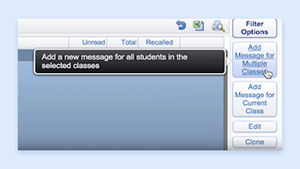
From the right-hand column, you can add a time slot for a conference or mass add or delete time slots.
You can also see which students haven't signed up for conferences yet.
From the second tab, Calendar, you can see a calendar view of your scheduled conferences by day, week, or month.
Click on a conference to view or edit details.
By clicking on an open time slot, you can also designate that a time is available for new conferences.
It's as easy as that!
Check out the other 60-Second Power-Ups and become even more Skyward-savvy.
Read the Full Transcript
Skyward makes it easy to connect with parents when it's time to schedule conferences.
This helpful tool can be found in the Calendar feature.
To access the calendar from Educator Access+, go to Teacher Access, then select My Conference Scheduler.
Note the two tabs at the top of the screen.
From the first tab, My Class Listing, you can see a list of your classes.
From the right-hand column, you can add a time slot for a conference or mass add or delete time slots.
You can also see which students haven't signed up for conferences yet.
From the second tab, Calendar, you can see a calendar view of your scheduled conferences by day, week, or month.
Click on a conference to view or edit details.
By clicking on an open time slot, you can also designate that a time is available for new conferences.
It's as easy as that!
Check out the other 60-Second Power-Ups and become even more Skyward-savvy.