Get started
 Log in
October 01, 2026 • read
Qmlativ Spotlight: Evaluation & IEP Manager Visibility Is Here!
|
Abby Paulsen Edtech Thought Leader |

Abby Paulsen
Special education case managers spend plenty of time creating, organizing, and overseeing their students’ Individual Education Program (IEP) plans. Case managers ensure that their students receive the necessary services and supports in accordance with their program, turning updates and notes into a game of tag with teachers and parents.
Amidst the paperwork, back-and-forth communication, and parent-student-teacher coordination, case managers deserve smooth operations.
With this new Qmlativ feature, evaluation managers and IEP managers can find their student profiles and sync changes more efficiently across the Skyward system, making it easier for everyone involved in student success.
How does Qmlativ help IEP case managers?
This enhancement helps districts improve visibility into student support roles. It also gives staff another way to manage evaluation and IEP-related responsibilities in Qmlativ.Educators can now better serve students’ needs and see updates to key areas such as Student Entity Year Details, the Student Information Pop-up, Student Services Profiles, Student Filters, and related browses.
Districts with a Special Education license will see evaluation manager and IEP manager fields automatically synced from the latest finalized evaluation or IEP record. While it appears to be read-only, the field can be overridden on the Enrollment record if necessary.
Where do I find the IEP case manager in Qmlativ?
The evaluation manager and IEP manager fields now appear in several areas of Qmlativ. Find it in these locations:
- Student Entity Year Details: Displays the assigned managers.
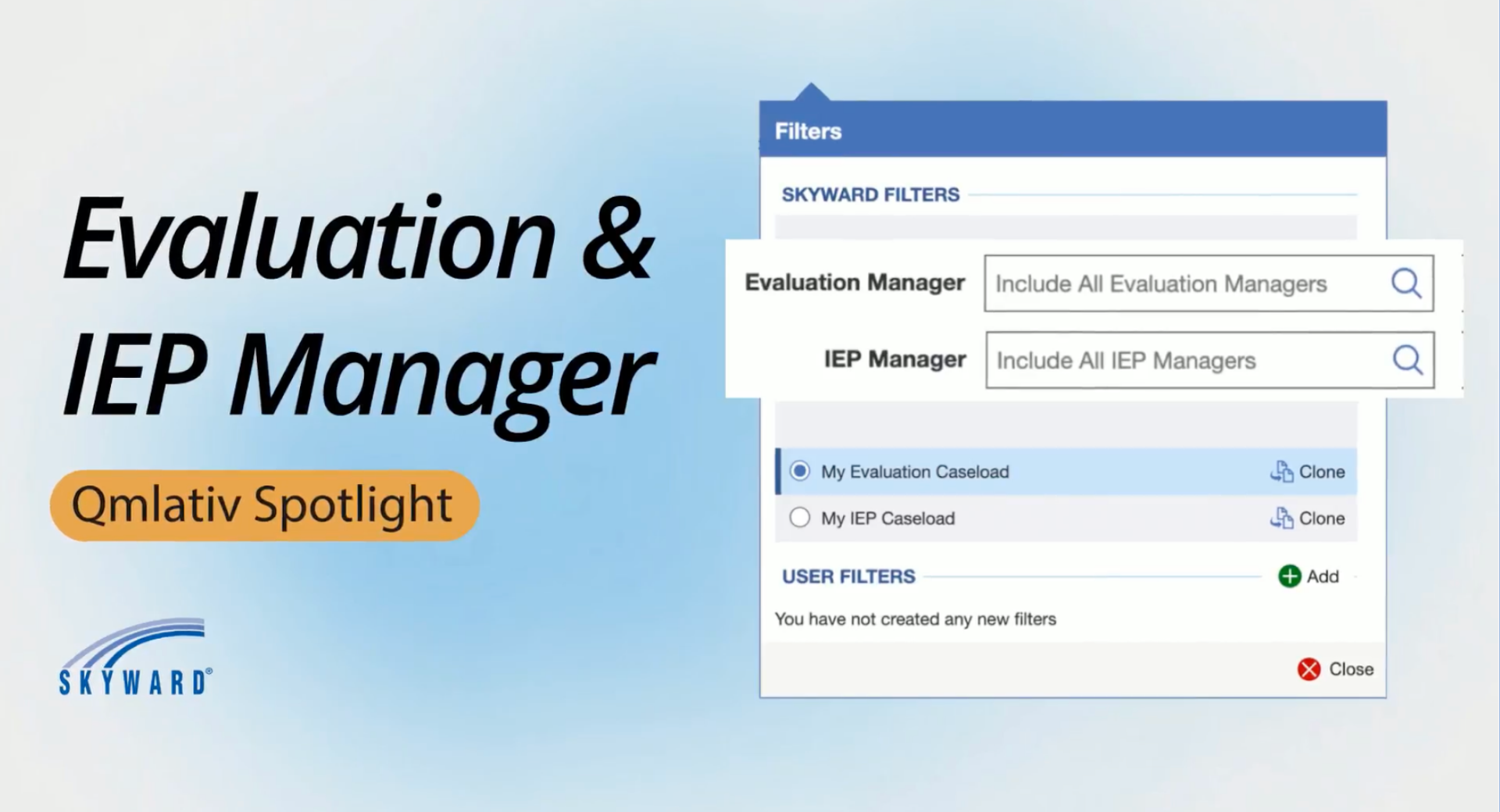
- Student Service Profile: Adds “My Evaluation Caseload” and “My IEP Caseload” filters to the Student List browse.
- Mass Update Student Workflow: Allows multiselect updates for Evaluation and IEP Managers, filters to staff with those roles.
- Student Standard Filter: Includes Evaluation and IEP Manager filters similar to Counselor or Discipline Officer.
- Student Information Popup: Shows Evaluation and IEP Manager when values exist.
- Student Entity Year Browse: Adds columns for Evaluation Manager Name and IEP Manager Name.
- With Special Education License: Read-only fields pull the latest Evaluation/IEP Manager based on enrollment dates.
- Without Special Education License: Districts can select staff manually, similar to Counselor or Advisor.
Watch this video to see all the places evaluation manager and IEP manager fields can be adjusted.
Staff who view and manage caseloads can now lie back and leave the game of communications tag to Skyward. Browse Qmlativ and see the evaluation and IEP manager visibility already in place.
Thinking about edtech for your district? We'd love to help. Visit skyward.com/get-started to learn more.
|
Abby Paulsen Edtech Thought Leader |