
 Get started
 Log in
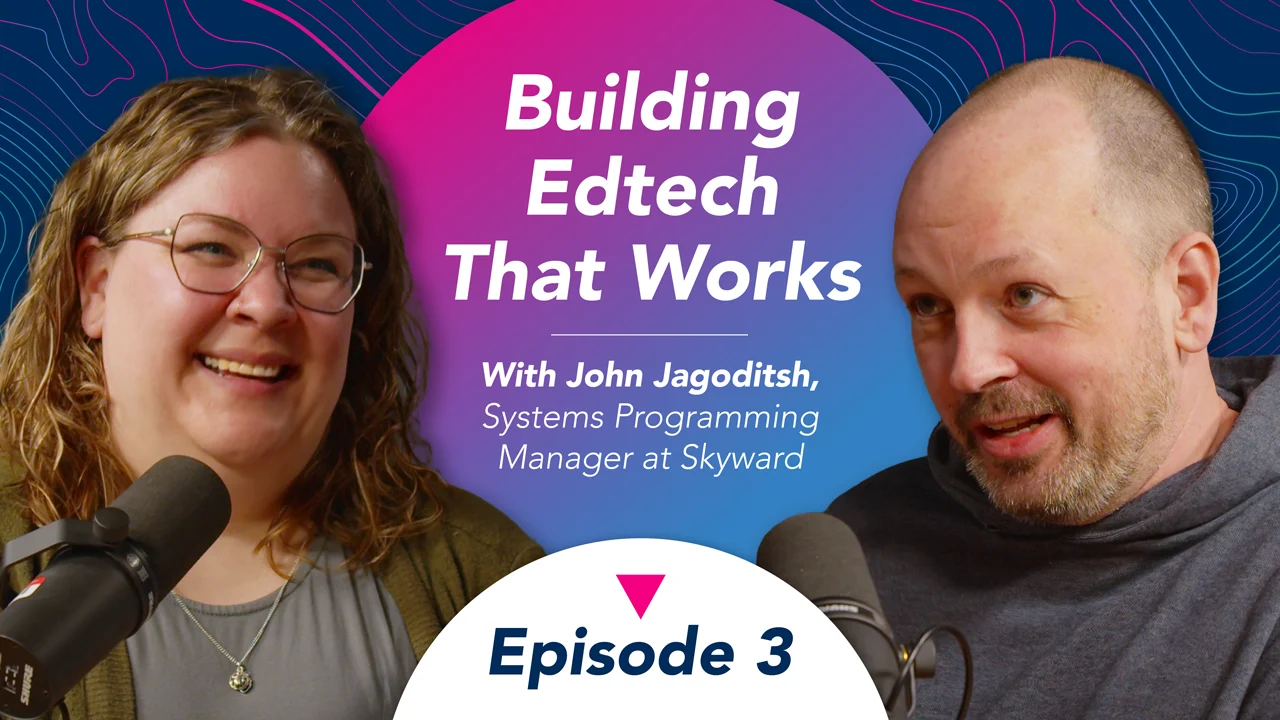

Building Edtech That Works (ft. John Jagoditsh, systems programming manager)
What does it actually take to build technology that works for schools, educators, and students? In this episode, we sit down with John Jagoditsh to explore the realities of building effective educational technology. From understanding the challenges schools face to creating tools that solve real problems, John shares insights from his experience in the EdTech space and what it takes to develop products that educators genuinely want to use.
Transcript
Lauren: When you're building software that's used by thousands of educators every day, there's a lot to take into consideration. So, what does it take to build edtech that works in the real world? That's what we're going to find out. Welcome to EdTech Explored, where we chat about all things edtech. What's working, what's changing, and what educators need to know to stay ahead. I'm Lauren, and I'm joined by my co-host, Erin, and today we have a special guest, John Jagadish, and he's here with us from the Skyward programming department. Welcome to the show, John.
John: Thank you. Glad to be here.
Lauren: So, can you tell us a little bit about your experience working at Skyward, how long you've been here, and what it is that you do?
John: Sure. Um, so I started at Skyward about 22, 23 years ago. Um, my first 10-ish years were in customer service, where I traveled to customers and I met with their staffs. I met a lot of great folks actually working in the school districts, spent a lot of time on phones talking to districts, calling in, seeing where their challenges were, and trying to help them through those challenges, and really kind of gaining a good experience of understanding our customer base, understanding our software, and what our customers do on a day-to-day basis.
John: My current role at Skyward is in programming. I'm a systems manager in charge of our legacy SMS conversion to our new Qmlativ product. I was involved with that from the early stages of Qmlativ to really build it from the ground up and develop that product. So now I'm in charge of our SMS legacy system conversion to Qmlativ. So, it's bringing those SMS customers over to Qmlativ, and smoothing that transition out as much as possible, bringing their data over, giving them the tools to really help them understand the new system.
John: So as much as possible, we want them to, you know, not have to do lots of preparation work. I mean, the hope is, you know, you leave on a Friday, you come back Monday, and you've got the new system waiting. Hopefully it's intuitive enough to actually just begin using, and you understand how those things work. But I think the reality is, if you've got months and months of training beforehand, a lot of times you'll just forget that training until you're actually in it, actually using it. So, we're trying to, you know, find that balance between how much preparation is valuable versus how much is just on-the-job training when you move into that transition.
Lauren: How do you walk that line when it comes to developing the system itself? Between you're creating Qmlativ, it's new, you want it to be better than SMS, but you also want it to be familiar enough that districts aren't having to spend a ton of time relearning everything. How do you kind of balance those two and weigh, you know, the options in terms of which direction you lean for different aspects of the system?
John: We follow that philosophy that if it's not broken, don't fix it. That's if we can keep it intuitive. If SMS was working great in an area, then let's not change it. But if there is room for improvement, and that's a hard line to walk because sometimes something's working great for one district and other districts are struggling with it, right? So, a district can feel like, oh, this was working really well and it was changed a little bit, and now I have to learn this new way.
John: There are some cases where it's like, um, we just have competing areas, right? We have two distinctly different ways of doing something. It's going to work for one district, and by working for the one district, it's just not going to work for another district. In those cases, we like to add some sort of configuration flag. But where possible, we'd rather not make them make that choice. We'd rather have the model of what they're doing just well understood and well developed so they don't have to make that choice. But we also have a balance between what's good for a smaller district versus what's good for a really big district.
Erin: Sure.
John: Um, I was at a district once in eastern Wisconsin that had like 15 employees, and even the SMS system has great ways of selecting, like mass selecting payrolls. And, you know, I was working with this district and I'm talking about this mass select, and the bookkeeper was like, why? I'm just going to individually select these 15 people. I was like, "Oh, you know what? That is a very different way of using the software. That makes the most sense in this situation." And then we'll have a district with, you know, 100,000 students, 10,000 employees, and they need a better way of managing their HR system.
John: So what stands out as a big improvement is the structure of our HR system. And, one thing Qmlativ can do now that SMS could not was recognize the evolution of a job throughout the years, not only just the person that works in a job, but the job itself. So, when a district is trying to figure out where their FTE came from, at what point did we get 26 teachers at this middle school instead of 25? You can see that history of, oh, maybe somebody in the east high school moved over because of increasing enrollment over here and decreasing enrollment over here. And you could see exactly when that happened and that type of thing.
Erin: So what I was kind of hearing is, as SMS evolved over years and years, and as that software changed, it was very flexible, but it ended up being a lot of burden on the user to decide, how am I going to make this happen in my system? And in the Qmlativ system, we wanted to make that a little bit more streamlined, to still allow for that flexibility, but not necessarily have so many different options that it becomes overwhelming. So that really makes me think about that basic functionality, the jobs that the software is willing to do, and then what users expect outside of that basic functionality. Does Qmlativ do maybe a more streamlined job than SMS of delivering that functionality that users expect?
John: Yeah, certainly it does. There were a lot of places in SMS where there were checkboxes and things and drop-downs and codes and things that a user would have to do. I'm thinking of setting up the pay structure on a person's assignment. There were all kinds of choices to make about: check this to not use calendar, check this to calculate hourlies this way, and check this over here to do this other thing. And it becomes district policy to say, okay, check these two boxes, leave this one empty, and select this over here. That's kind of not very intuitive.
John: Or in Qmlativ, it's like if you want to calculate somebody, this is the code you use. And if you want to tweak that code, if you want to say calculate their daily rate by using the number of full days versus the number of active days, you can change that code to behave that way. That way, the district is only choosing from three or four different codes rather than remembering this odd combination of checkboxes and that type of thing. So, if we can make the user choose less on the screen and confront them with less clutter and noise when they're doing their job, it allows them to pick through things easier and it makes training easier too, especially for training replacement employees.
Erin: Right.
John: That's really difficult to say, okay, our district policy is these two and leave this or whatever. It's like, these are our codes. This is how we've set them up. Just use them. And if we need to talk about updating those codes, we can certainly do that.
Lauren: So, how about the data itself? You're building a new system that does more and works better than SMS in the long run is the goal. But then you're also having to build it in a way that data can transfer from SMS into Qmlativ. That data all makes it over, but then ideally the district can do even more with it once it's in Qmlativ.
John: Yeah.
Lauren: How does that process work? What happens there?
John: Well, to start off with, the SMS-to-Qmlativ conversion converts a remarkable amount of data. Because we understand SMS so well, we're able to take so much data, and virtually everything you had in SMS is still available in its detailed form in Qmlativ. We do see a few challenges with that. There are some cases of Qmlativ storing more data than was in SMS, and there's some confusion when a district looks at their data and they run their first accounting update in Qmlativ versus SMS, for example. They'll see, oh, my SMS data didn't have all of this really detailed information. That's confusing because it looks like we didn't convert everything. And it's not that we didn't convert everything. It's just SMS didn't have this thing to begin with. It just wasn't there.
John: And now Qmlativ has this extra really helpful information. But that can be confusing because a district or user is going to say, "Oh, this is incomplete." Well, it was just never there to begin with.
Erin: That’s fascinating.
John: Yeah, so that's one challenge we're kind of working through.
Lauren: Yeah. It is so unique the way you were describing it, where it's not just making a new system. It's making a new system for a group of people who know how to use an existing system, and so really trying to find that balance. I can see where that would be quite the challenge.
John: It is all about balance. It's all about trying to find that sweet spot of not giving out work we don't have to, not requiring trainings we don't need to, but still making sure the district and the users can hit the ground running as soon as they start up.
Erin: Is there an example that sticks out of making a difficult decision to make things less familiar for SMS users on purpose so it's better in Qmlativ? Is there an example of that that comes to mind?
John: Yeah. I keep using the assignments and HR system as an example because it is one of our more difficult transitions. In SMS, for example, you would have an assignment for everything. You would have an assignment for your contract teacher pay. You would have an assignment for a longevity additional pay. You would have an assignment for a phone stipend. You would have assignments for all of these things, right?
John: Whereas in Qmlativ, the assignment structure is like an assignment is your hired job. It's more like, we hired you to be a teacher. That's your assignment. Maybe you get a phone stipend as a part of that, and that lives under your assignment now. Maybe you get a longevity stipend that lives under your assignment. Whereas in SMS, you would not be able to tell the difference between hiring as a teacher and hiring somebody to receive a phone stipend. It doesn't make sense to hire somebody to receive a phone stipend. So Qmlativ has a structure that encourages the showing of a phone stipend living under a teacher assignment for this example.
John: So the structure is a little different, and as we transition from that SMS structure to the Qmlativ structure, we have to make certain assumptions. Maybe we don't get something right. Payroll has to be right. The district has to be able to hit payroll in that first week, and their payroll numbers are going to be unaffected. But maybe they've got something strange that shows they've been hired for a phone stipend based on some of their legacy system setup. That's hard, and it can look wrong, but it won't affect payroll. We're creating the tools to help them recognize, oh yeah, this maybe was imperfect the way it converted, and here's an easy tool to help you recognize those issues and fix them up as needed in an easy way.
Erin: I have a question about how districts are thinking about the time that they spend making this change. So would you say that overall, the more time that you spend setting up your environment and your data is a direct payoff in time you don't spend in the system writing day-to-day, making reports happen, and pulling data and stuff like that? Does all of that preparation pay off in the automation that the system can do for you?
John: Yeah, absolutely. Becoming familiar with the system pays off. You know, we strive to create a product where you can hit the ground running and it's totally intuitive. But will spending time in your training area help? Yeah. Yeah. Absolutely it will. Especially when it comes to running reports. Districts know the reports they care about in SMS. They've got an understanding: I use these reports. These are my favorite reports over here. The Qmlativ reports are a little different. They're totally customizable, which is really cool and great, but the naming conventions might be a little different. So learning well which report is the one I care about in Qmlativ, that can be valuable. But again, we don't want you to have to spend a huge amount of time in training to be successful in live. It really is about finding a good balance there.
Lauren: Can we rewind for a second? At the beginning when you were telling us about your career at Skyward, you mentioned you had the 10 years of experience in the customer success department. How did that time, and hearing 10 years of talking to people about their pain points and their struggles, transfer for you to now your current role where you're able to build a new generation of Skyward for those people to use?
John: Sure. My first 10 years was traveling to districts and working with customers on the phone and setting them up, doing new installs. I would do, I don't know, between four and six, maybe eight customer installs a year. And it was seeing from the training aspect of training new customers how they transition from either a third-party conversion into SMS or our legacy character system into SMS. Seeing those struggles and that first 10 years in customer service really helped me understand what customers want from their software. It helped me really kind of get an appreciation for the structure of an HR system, of a payroll system. It helped me kind of form some opinions on what foundational things could be improved to make payroll easier and HR management easier.
Erin: What sticks out to me about that is you're thinking more about the overarching process that the user is going through than you are thinking about specific, intricate things in the programming. Can you speak a little bit to your approach? I just see a really big gulf between those processes and the actual things that your programmers are writing. How do you take those processes and turn them into good programming?
John: Sure. Well, it really starts with a strong understanding of how customers do their job and the task that they're trying to complete. You need to start with an absolute understanding of those tasks. And if you don't have a strong understanding of those tasks, then the program you build on top of that is going to be, you know, maybe a little hit or miss. So it starts with being able to describe the model of a payroll system. It starts with being able to describe the model of an HR system so that districts can understand things.
John: I'll use an example here. In SMS, when a payroll was selected, a district would choose a period end date. It's just like this date that says, we're paying you up through this date, right? And that date and our whole payroll system in SMS is kind of built around that date. And what we found was that there are struggles for different state reports. Some state reports need to know your work dates. So not only do they need a period end date, they need maybe a period begin date.
John: And in Qmlativ, one of the foundational payroll changes is when you set up a pay schedule, you set up the start and end date blocks that we're expecting to pay throughout the year. And when the foundational pay schedule has that understanding, not only are state reports easier to figure out because it's like, oh, now we understand that we're paid through these dates, we can do all sorts of great things like predict pay when salary changes. If somebody gets a step increase halfway through the year and we have a better understanding of the times and dates that they're working, we can make better predictions on what their paycheck should be for the remaining of the year. Even if it's a teacher pay annualized over 12 months, but they only work 10 months, and there are really complicated scenarios you can get into, we can now figure those out because we just have a better foundation of that data.
Erin: Absolutely. Just going back to your examples with the district with 15 full-time employees versus some of our districts who serve hundreds of thousands of students, that is a really huge scale. How does your programming team approach the scale differences in K12 and try to make a system that can work for everybody?
John: We have to focus on the large districts. If that choice needs to be made between making something work well for small districts or work well for large districts, and it cannot be both, we have to decide that we need this to work for larger districts. What that usually takes the form of is a smaller district may have to set something up ahead of time or set some configuration and do some front-end work that they would have done in their day-to-day activities previously.
John: So if we get a complaint about Qmlativ, it's often, there's more setup involved and I have to make these choices on the setup. That's hard because they're just switching to Qmlativ and they're faced with this setup that they have to go through. Where they didn't have this setup in SMS, they just made the choice on the screen every time. They didn't think about it because they knew those choices. So if there is a complaint about that transition and about that balance between larger and smaller districts, it is the front-end configuration that Qmlativ has to do that maybe wasn't there in SMS. And that feels like a hardship when they're first starting. Once they get going, they get past that change, and then they don't have to make the choice on the screen every time and they don't think about that time savings or whatever.
Lauren: If there are any districts that are listening to this episode right now and they're getting close to making the move to Qmlativ, what advice would you give them?
John: Advice for new districts: keep an open mind. You know, we've got a lot of experience in this market. We know how districts operate. We're really proud of this system. It's really a great system. It's very functional. It does a lot of cool things, but it was really built strongly from the ground up. And while things may look a little different, try to keep an open mind, and I think you'll recognize the cool features you have that you would immediately miss on going back to SMS.
Erin: Something that we have heard in responses from customers in a critical space is, "I feel like I need a programming degree to run this system." Now that's hyperbole. However, are there any skills that power users or champions could anticipate using in a new EdTech system that they can go out and find those skills before they even start training in our database or their own database?
John: I would say, use your training database. There's not really any abstract skills that you could gain outside of using the Qmlativ system to be better at that reporting system. It does have a SQL database, so if you understand how to write SQL queries, you can certainly extract data that way.
Erin: Do you think the people who program education technology feel a different level of responsibility for the things that they make than, say, a programmer who creates insurance software or social media? Does programming in EdTech take on a new meaning?
John: school. They've all been to high school, and so many of them used Skyward as kids coming up through the K12 system. And it's like, oh, I remember this. Now I'm working on this program that I used growing up. It is kind of cool. So, is there a personal connection? I think absolutely, in a way that's maybe more tangible to folks than insurance software might be.
Lauren: What would you say is your favorite part of what you do?
John: It's a great experience working with such talented and smart individuals that are very capable at developing things. That part is really great. I also really like working with the customers too, and hearing those experiences that they're having and learning so we can come back and use those experiences and create better software. So customers and developers are my favorite.
Lauren: So looking ahead at the next generation of K12 EdTech, what do you think that these SIS and ERP systems need to get right? Not just from a technical standpoint, but also from that human usability side of things.
John: Keeping it usable is important, right? It needs to be intuitive. Coming up with intuitive software is hard to do. You want it to be both functional and easy to understand. Sometimes those two compete a little bit, where one district might need something very simple and another district might need something more complex based on their rules. So finding that balance of the right amount of complicated without overcomplicating something, without making folks work too hard to get what they want, but making them work hard enough to make it easy for everybody. It's just that balancing act.
Erin: Well, thank you so much, John, for all of your time and explaining so many detailed things to us. It's been so exciting to hear the long history and foundation that you brought into creating this brand new system that is geared for how people live in schools from day to day.
John: Thanks for having me.
Lauren: Yes, we really appreciate it. Thank you for being here today, and thank you to all of our listeners for joining us for this episode of EdTech Explored. If you like what you heard today, please be sure to follow and subscribe on Spotify, Apple Podcasts, or wherever you listen. You can find all of our episodes at skyward.com/podcast, or you can drop us a line with any questions or ideas at podcast@skyward.com. Thanks for listening, and we'll catch you next time.


 Share this video