Get started
 Log in
September 30, 2018 • read

Technology Tips: September 2018 Edition
|
Skyward IT Services Network Infrastructure and Security Specialists |

Skyward IT Services

Limit Google searches to a single website
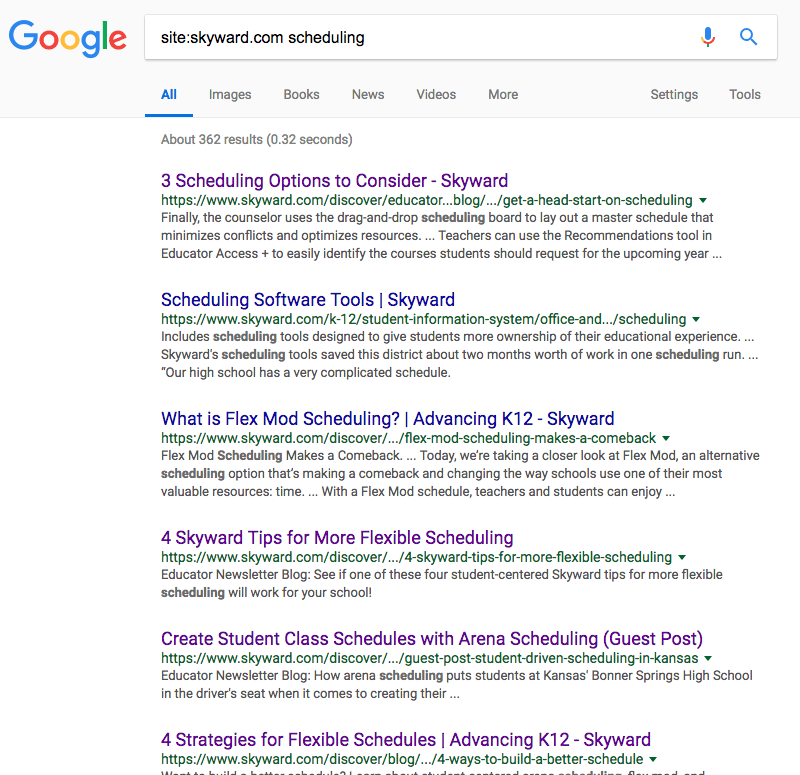
This nifty Google trick lets you search within a website without relying on its embedded search tool (since not all website search tools are created equal).Simply type “site:” then enter the website URL after the colon without adding a space. Your results will look something like this:
Is that a scanner in your pocket?
With more districts moving to paperless solutions, it may be tempting to ditch your cumbersome office appliances. In the rare event you do have to scan a paper document, it’s easier than ever thanks to mobile apps.We tried the free version of Scanbot Scanner for iOS (there’s an Android version, too). Using your cell phone’s camera, the app takes a picture then converts it into a PDF. Cloud backup and sharing options let you send the document where it needs to go.
While many of the bells and whistles for editing our document required upgrading to the pro version ($6.99 in the App Store), the interface was very simple to navigate. Pro tip: Place your document on a dark surface, or the app’s automatic camera gets confused when the paper’s margins blend into the light background.
Our document was scanned and uploaded to cloud storage in about a minute. Not bad for a mobile office!
A 📸 is worth a thousand 📝
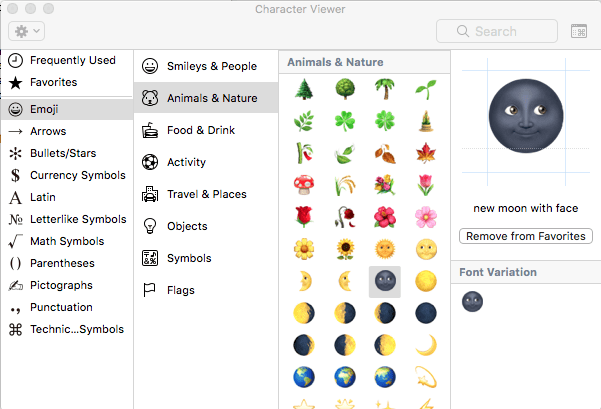
Emojis are the next-generation of emoticons (those little faces built using existing characters on a keyboard). The images accompany a mobile phone’s keyboard and are cartoony versions of everyday objects, expressions, and symbols. Linguist Vyvyan Evans, who wrote a book on emojis’ ubiquitous role in communication, estimated that the 3.2 billion internet users worldwide share more than 6 billion emojis daily.If you’re looking for a quick way to add a little ✨ flair ✨, try pressing [control + command + spacebar] to bring up the MacOS emoji keyboard. It’s not just fun images—you’ll also find mathematical symbols, bullets, arrows, and more. Drag the symbol you’d like to use into your text editor. You can save your favorites for easy access, too.
Malware of the month
Recently, Android apps have tricked victims with sneaky malware attacks. Innocent-looking apps are laced with a piece of undetected code called a dropper, which slowly releases malware long after the app is originally installed, making it hard to tell where the malware came from.Here are some tips for choosing legitimate apps from the Google Play Store:
- Power in numbers: Look for apps with more than 10,000 downloads if available.
- Sensible permissions: Be skeptical of the permissions the app requires—if it seems to be asking for a lot, look for a different option (for example, an app designed for drawing pictures might ask for access to your gallery, but probably shouldn’t need access to your voicemail).
- Recent reviews: Give the reviews a glance, especially the ones from people who have experienced the most recent updates. Learn from their experiences.
- Word of mouth: Ask your colleagues which apps they’d recommend.
“I want these girls to be the next Mark Zuckerberg, the next Steve Jobs, and be the women that are creating and building positions of leadership in tech.”
-Kimberly Bryant, founder of Black Girls Code
Follow-Up Resource: IT Services
Need help securing and optimizing your network? Check out the many IT Services we have available and contact us today.Thinking about edtech for your district? We'd love to help. Visit skyward.com/get-started to learn more.
|
Skyward IT Services Network Infrastructure and Security Specialists |