Get started
 Log in
Qmlativ Spotlight: Dashboard Manager
|
Ashley Prinsen Edtech Thought Leader |

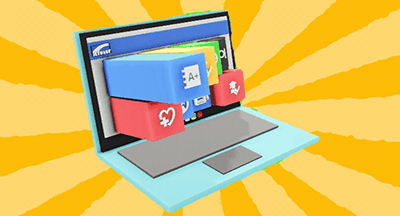
We’re excited to share news about the release of a new Dashboard Manager. Skyward Administrative Access users can build dashboards for their end users more efficiently using district-built Dashboard Items or Skyward-created widgets. These updates represent four ideas and over 180 votes in the product ideas portal.
From Discipline to Time Off Requests to Family Portal sessions, the combination of a Dashboard Manager and widget library makes the process faster and easier for Administrative Access users to build dashboards for the end users in their districts. Let’s dive in.
When Skyward Administrative Access users begin to build a dashboard for another end user in the district, the process used to require impersonation—that is, impersonating the end user to create their dashboard in their account. Now, Administrative Access users can build someone else’s dashboard securely through their own account.
Using the Dashboard Manager, admin users can build and edit other end users' dashboards with thirteen Skyward-made widgets and district-created Live Tiles, Chart Tiles, and Configured Widgets. These Dashboard Items follow security group permissions automatically, so there’s no fear of users being able to see confidential information.
Next, there are three levels of publication to push new widgets to users’ dashboards.
- Add to library: This will add the item to the user’s library, and the user can choose to add it to the dashboard at their leisure.
- Add to dashboard: This adds the item directly to the user’s dashboard. The user can choose to delete the item, and it will remain in their library.
- Pin to dashboard: This adds the item to the user’s library and dashboard and pins it in place.
Keep in mind a few rules about adding and pinning widgets. Changes made to the published dashboard item will update in each user’s dashboard library. Users are able to clone pinned dashboard items; however, if changes are made via the dashboard manager only the original will be updated on the end user's dashboard.
We hope the Dashboard Manager and pre-made widgets will be a big help at your district. Be sure to subscribe to Skyward Insider to stay in the know on other product updates and enhancements coming your way!
Thinking about edtech for your district? We'd love to help. Visit skyward.com/get-started to learn more.
|
Ashley Prinsen Edtech Thought Leader |