Get started
 Log in
Better Together: Group/Team Conference Scheduling

|
Skyward Insider Team Skyward Experts |


Teacher conferences have expanded to include team and group conferences with support staff including IEP managers, school psychologists, occupational therapists, and even administrators.
These important district resources have a direct impact on students, so it makes sense to offer conference access to parents. As with many Skyward features, this enhancement was a popular request made by leaders at iCon.
Parents will see a Conference Scheduling option in Family Access, where they can request team conferences the same way they've always requested conferences with individual classroom teachers. Requests are available on mobile or desktop, and parents have the option to attend the conference with their child or send their child only.
It takes a little preparation on the district's part for parents to see team conference options. The conference requests are closely tied to the course master schedule in that students need to be assigned in order for parents to see the team conference option. Here's how to set up access to team or group conferences.
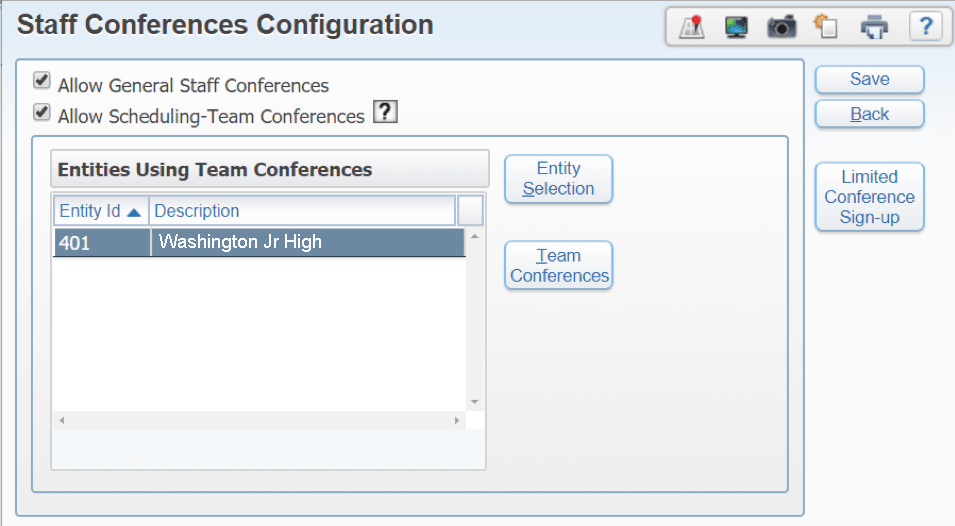
1. In Student Management, click the Staff tab, then open Configuration and click Staff Conferences Configuration. Here you can allow General (any staff, defined by your settings) or Team (dictated by scheduling rules) conferences, as well as limit conferences to one building.
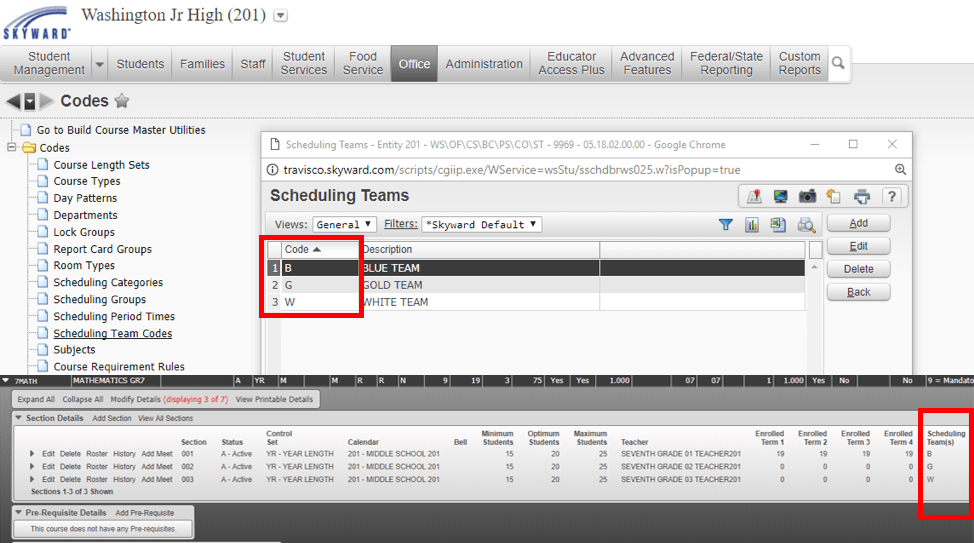
2. Visit Course Master Codes to set up scheduling teams. This is typically done as part of the master schedule build at the beginning of the year. These schedule teams allow a group of students to have the same group of teachers in common—almost like Hogwarts Houses from the Harry Potter series. Teams will be reflected on the Course Master Schedule. You may also consider setting up a scheduling team for special populations, including special education. Just remember to add a corresponding course for the team to show up in the Family Access Conference Scheduling tab under teams.
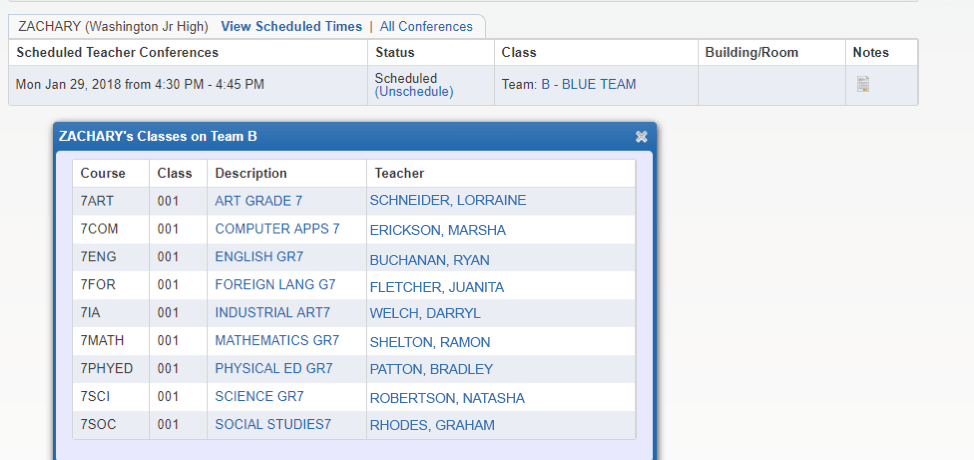
3. Now that you've allowed general and team conferences, Family Access users will see those options reflected in their Conference Scheduling tab. Depending on which courses their children take, parents will see different options for scheduling team conferences.
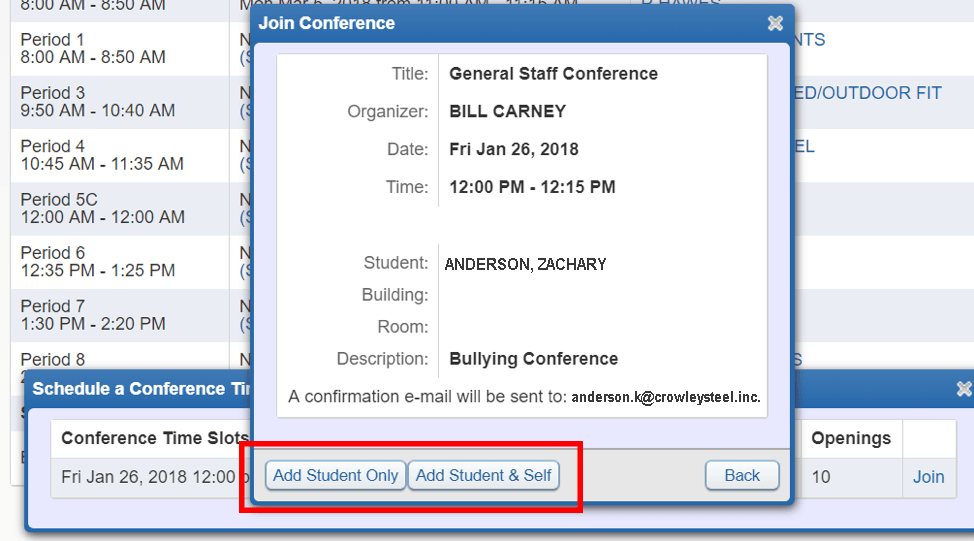
If your district offers general staff conferences, parents may elect to sign up with their child, or send the child only.
Before you dive in to the software, consider these miscellaneous tips for ensuring a smooth rollout:
- Hold committee meetings to decide which general conferences to offer, and who will lead them.
- Create your teams for general conference requests ahead of time.
- Check to make sure your teams have a corresponding course master schedule if they don't show up in conference scheduling.
- Limit certain team conferences to a select population of students (for example, scholarship meetings by GPA range, or individual students in need of speech therapy).
- Add a buffer of passing time in case conferences run long or to allow for a quick break in between.
Loosening the limits of conference scheduling encourages greater parent engagement in many facets of a student's experience at school. When multiple educators and staff can bridge the gap from school to home as well as teachers can, everyone benefits.
Follow-up Resource: Family Access Toolkit
Be proactive about parent involvement! Share how-to videos, documentation, and other resources to build awareness in the Family Access Toolkit.Thinking about edtech for your district? We'd love to help. Visit skyward.com/get-started to learn more.
|
Skyward Insider Team Skyward Experts |