Get started
 Log in
Guest Post: Collecting Your Back-to-School Payments

|
Ann Dunaway SchoolPay CMO & Co-Founder |


Back-to-school season is near, and one of the top issues to consider is how to reduce wait time and payment lines. If you use Skyward’s Fee Management area, online payments are a great way to eliminate payment lines. Several Ecommerce providers offer custom integrations capable of supporting all the fees you manage with Skyward's Fee Management area.
SchoolPay, an online payment service integrated with Skyward, offers a unique feature that sets us apart from other Ecommerce providers. SchoolPay's software features a proprietary virtual terminal that allows you to collect in-person cash, paper check, and credit card payments and automatically posts those payments back into Skyward’s Fee Management area as well. Back-to-school day can generate thousands of payments that typically result in hundreds of manual entry hours. Imagine the time your staff will save, and the errors that will be avoided, by having every payment automatically post back into Skyward!
How Does It Work?
SchoolPay’s virtual terminal comes at no additional charge to their base Ecommerce software. If you’d like to take in-person credit cards, there are two hardware options that do carry a cost.- ID Tech Unimag II ($50) can be used with iPads.
- MSR 100 ($40) can be used with any device with a USB port.
Transaction Rates
- Credit card transaction costs are the same as their Ecommerce transaction rates: 2.99% + 30 cents for Visa, MasterCard, and Discover.
- Cash and paper check transaction costs are 15 cents apiece.
The terminal allows you to select any student and see all their fees. All forms of payment are accepted: cash, paper check, electronic check, or credit card. Upon payment confirmation, the fees are automatically posted back into Skyward’s Fee Management area, eliminating the need for any manual entries. All payments are centrally reported and captured in a single monthly statement.
SchoolPay’s solutions are Payment as a Service.
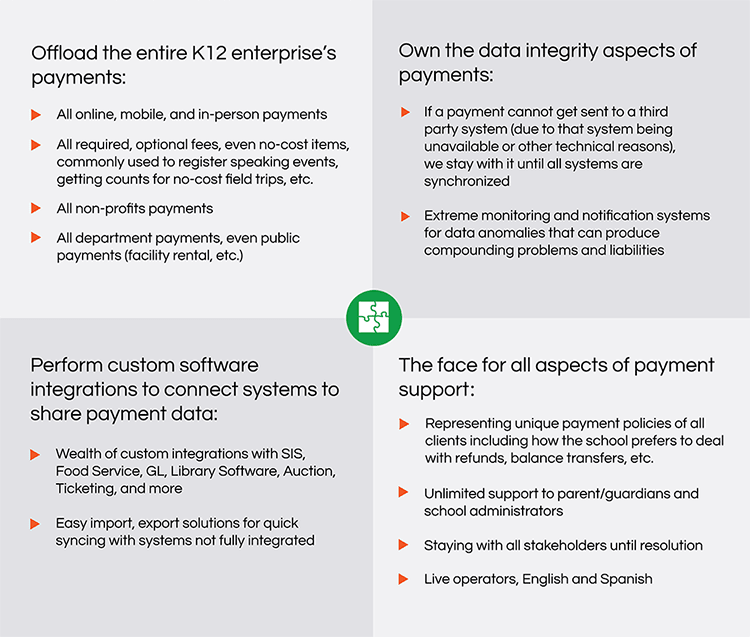
If your district is looking for an in-person payment solution that syncs with Skyward Fee Management area, or you’re ready to consolidate all payments (online and in-person) into a unified payment solution across your entire enterprise, contact SchoolPay to schedule a demonstration at support@schoolpay.com.
Thinking about edtech for your district? We'd love to help. Visit skyward.com/get-started to learn more.
|
Ann Dunaway SchoolPay CMO & Co-Founder |