Get started
 Log in
March 31, 2018 • read
Tracking Data Beyond Skyward
|
Lauren Pozorski Blogger, Traveler, and Video Talent |

Lauren Pozorski
Simplify it, speed it up, and move it online—that’s the trend for school district processes across the board. But sometimes, you may want to keep tabs on data that doesn’t yet have a predefined field in Skyward. Great news—we can help with that.
Data Tracking Examples
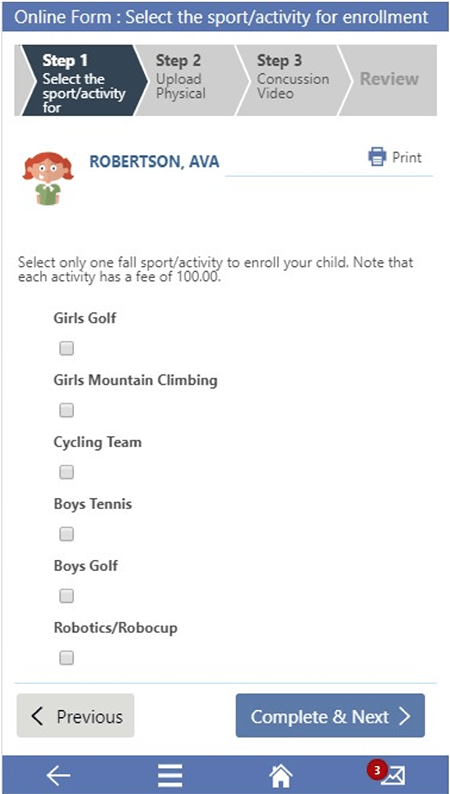
Let’s get started by taking a look at a few examples of data you may want to track in Skyward. First up, the Student Management Suite:Sports sign-ups: Perhaps you want to use Skyward for parents to sign their children up for sports. To set this up, create a custom form asking parents to select the sport(s) they’d like to enroll their children in. Include space for parents to upload documentation from students’ physicals. You may even want to embed a video about concussions directly into the form, asking parents and students to view it before they mark the form completed. If you’re using Qmlativ, parents will be able to complete this process directly from their phones.
Registration: If your district sends out registration packets to all of your students’ families each year, consider embedding all of this information into a custom form. Then, rather than paying for printing and postage, you can ask parents to fill out forms and sign off on waivers online. Not only will this change save your district money, it will also eliminate the headache of trying to read subpar handwriting, and save time for parents who can skip a trip to the school office.
There is also plenty of additional data you might find helpful to track in the School Business Suite. Let’s take a look at a few examples:
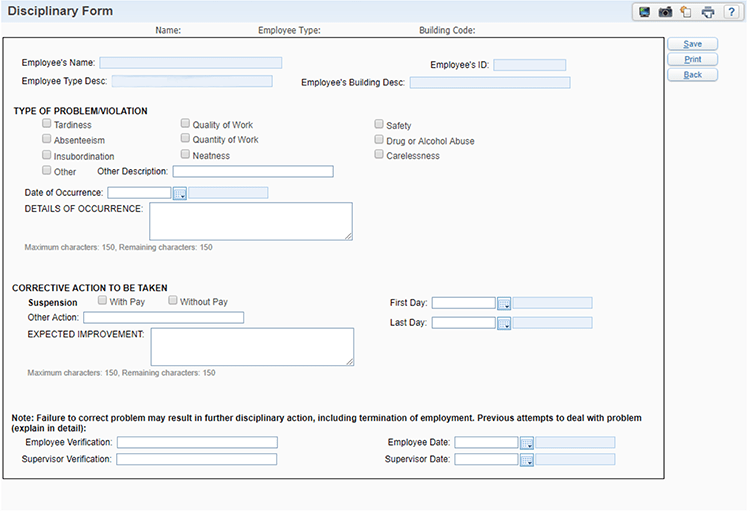
Employee discipline records: When you have to take disciplinary action against an employee, it’s crucial that you keep clear, thorough records of exactly what took place. You can help ensure consistency in reporting by creating a disciplinary form in Skyward. Create fields for the incident date and description, as well as to document the corrective actions taken.
Building changes: Within your district, teachers may switch to new grade levels or staff members may move to new roles. When these transitions occur, consider tracking these building changes in Skyward.
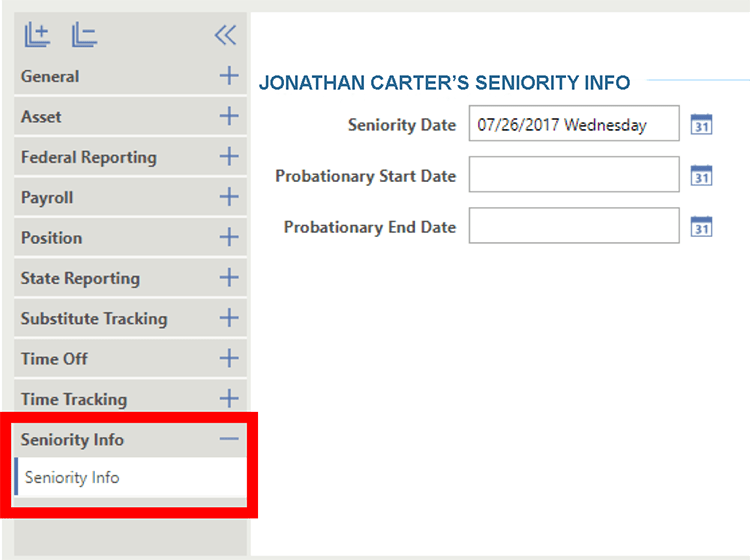
Seniority: You can use Skyward to keep record of seniority, tracking down to the minute each staff member was hired.
Laying the Groundwork
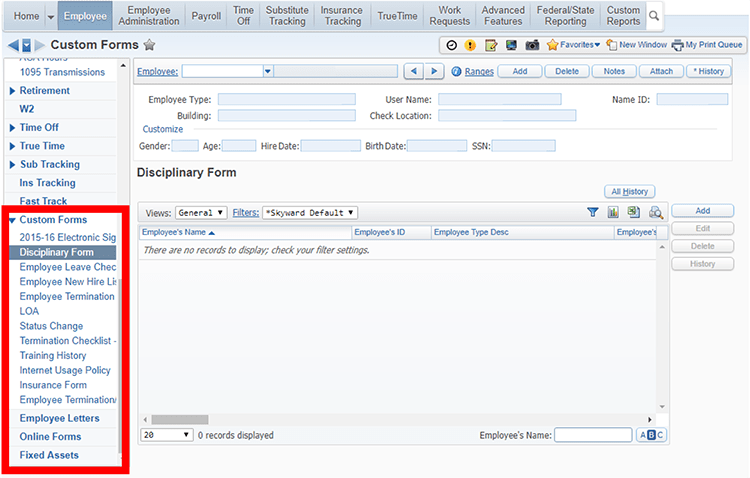
Once you’ve decided what additional data you want to track, how do you make it happen? The answer to that question depends on whether you are using SMS 2.0 or Qmlativ.If you’re using SMS 2.0, you’ll carry out all customization using Custom Forms. Custom Forms are electronic forms within Skyward that are typically used to create electronic versions of paper forms, or to house and track data that Skyward doesn’t record by default. When creating a custom form, you can use Skyward’s preset field options, or you can create your own. If you embed a custom form into an online form, you’ll be able to push it out to employees using Employee Access, so they can enter information directly into the form.
In Qmlativ, Custom Forms were replaced with Customization. With the Customization features, you can create your own modules, features, screens, fields, etc. and add them directly to the actual database. This means that when you want to use the fields you’ve added, you won’t navigate to Custom Forms. Instead, you’ll go straight to the part of the system where you chose to add those fields, as seen in the screenshot below, where the Seniority Info tab was built.
When it comes to tracking data, the needs of every district are different. So don’t box yourself in when your options are limitless—you have the tools you need to make Skyward work for you!
What do you want to track first?
Follow-Up Resource: EdTech Playbook: School Data
Learning to turn data into insight is one of the most valuable changes you can make at the classroom, building, and district level. Find out how in this installment of the EdTech Playbook.Thinking about edtech for your district? We'd love to help. Visit skyward.com/get-started to learn more.
|
Lauren Pozorski Blogger, Traveler, and Video Talent |
Lauren enjoys visiting school districts and spreading the word about creative, non-traditional approaches to universal challenges. Follow her for on-the-scene reporting (with a little fun sprinkled in) and tips on how to enjoy a better Skyward experience.